Turn Scripts Into YouTube Videos — No Editing Required
Most successful YouTube channels don't have elaborate production setups. They have a repeatable workflow: pick a niche, write a script, publish consistently. VimEcho Studio handles the production step so you can focus on the content.
Script in. Finished video out. Completely offline — your scripts and files never leave your machine.
✓ One-time purchase · ✓ Windows · ✓ No subscriptions
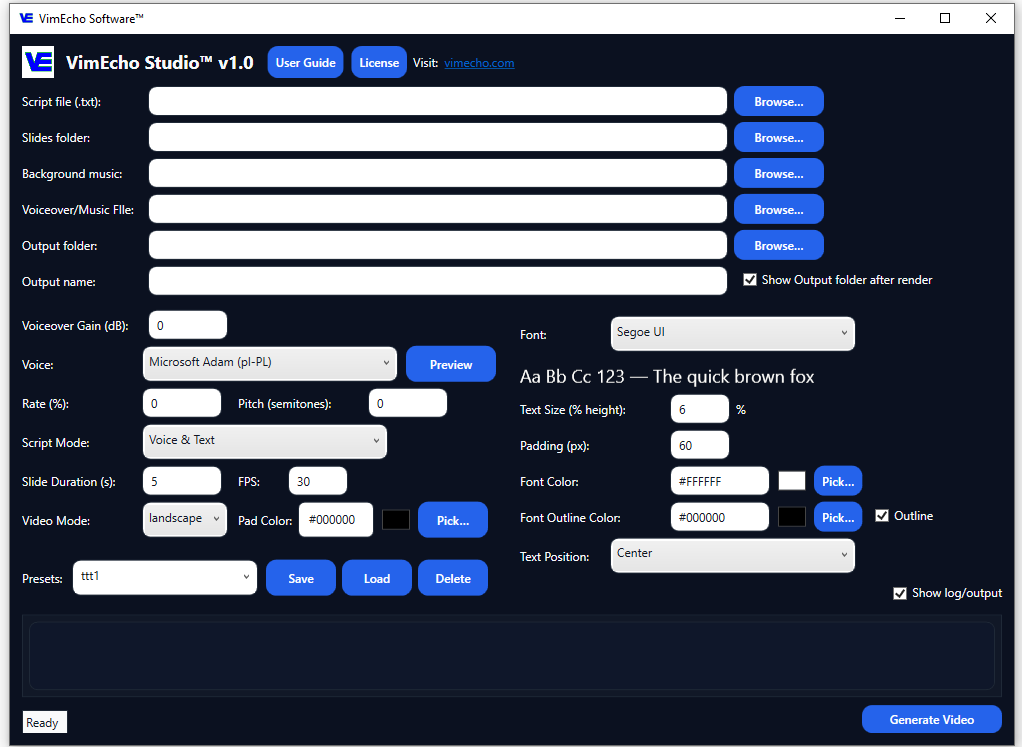
Before and After VimEcho Studio
Most creators get stuck at the production step. VimEcho removes that bottleneck.
Without VimEcho Studio
- Hours editing each video manually
- Learning complex timeline software
- Slow, inconsistent output
- Hard to batch or scale content
- Cloud tools that access your scripts
With VimEcho Studio
- Script + images = finished video
- No editing experience needed
- Videos ready in minutes
- Batch 5–7 videos in a session
- Everything stays on your machine
Why VimEcho Studio Works for YouTube
Built around the way successful faceless channels actually operate.
Fast Production
No timeline editing. Load your script and slides, click generate, get a video.
Repeatable Workflow
Same process every time. Build a content machine, not a one-off project.
Your Content Is Private
Scripts and files never leave your PC. No cloud, no terms of service surprises.
Flexible Voice Options
TTS built in, or use your own recorded narration. Switch per project.
The YouTube Video Workflow — Step by Step
Five steps from idea to published video. VimEcho handles steps 3 and 4.
Choose a Niche
Pick one topic area and stick to it. Consistency helps viewers find you and helps YouTube recommend your content. Finance, tech, education, and self-improvement all perform well with script-based formats.
Write Your Script
Structure it simply: hook, main points, conclusion. Each line of your script becomes a timed slide in VimEcho. Write it yourself or use an AI tool to draft — then refine and load it in.
Prepare Your Slides
Build a folder of images that match your script — stock photos, screenshots, charts, or AI-generated visuals. One image per script section. No design skills required.
Generate in VimEcho Studio
Load your script, slide folder, voice (TTS or your own), and optional background music. Click generate. VimEcho syncs everything and outputs a finished video file.
Upload and Optimize for YouTube
Add your title, description, tags, and thumbnail. Use keywords related to your niche. The video itself is already done — this is the last step before it's live. Repeat the process for your next video.
Example: Building a Finance YouTube Channel
Finance is one of the highest-CPM niches on YouTube. Here's how a basic finance video comes together with VimEcho Studio.
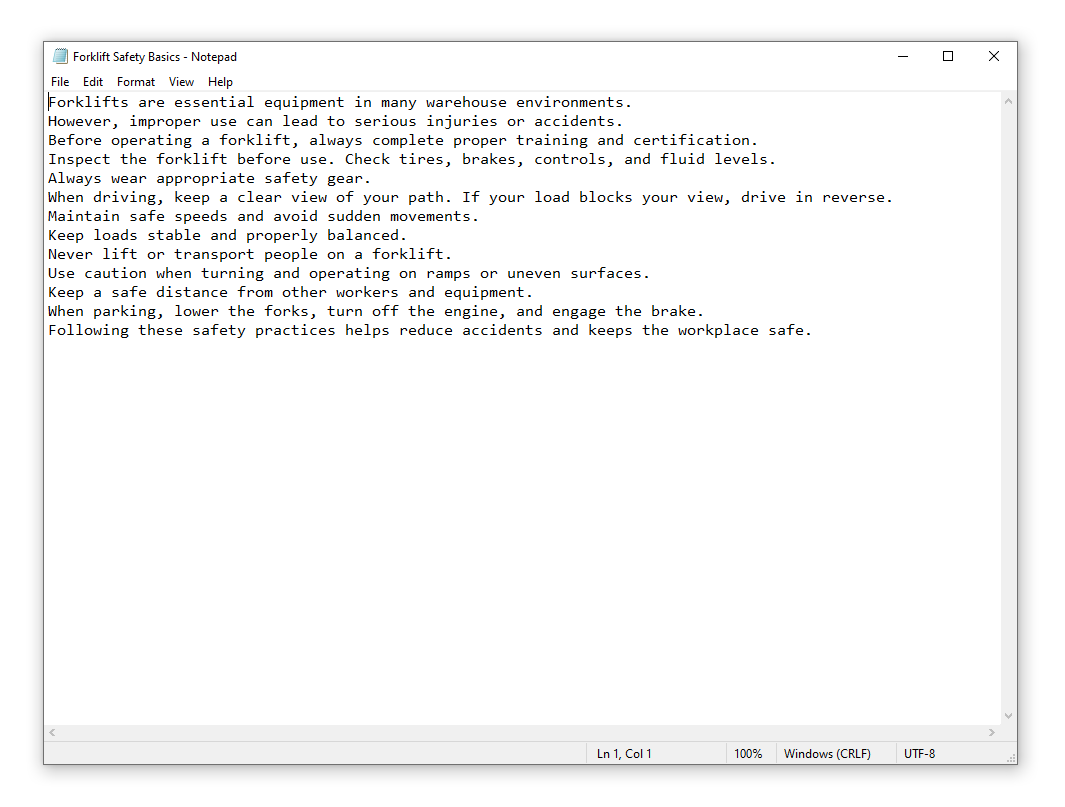
Start With a Script
Topics like "How to Save Your First $1,000" or "How Credit Scores Work" are searchable, evergreen, and easy to write. Each line of your script maps to one slide.
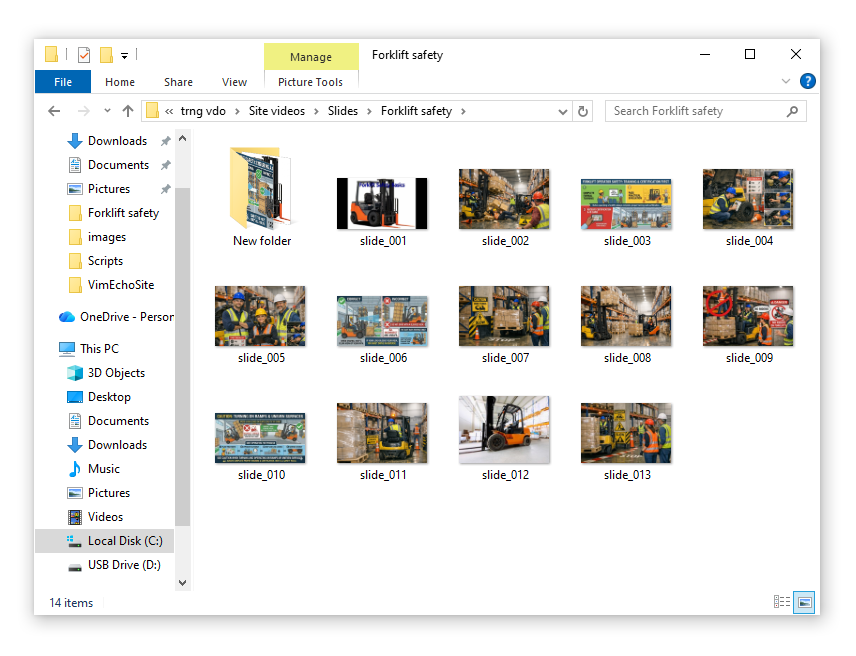
Build a Slide Folder
Use stock photos, charts, or simple text slides. Each image represents part of your video — no design experience needed to get something professional-looking.
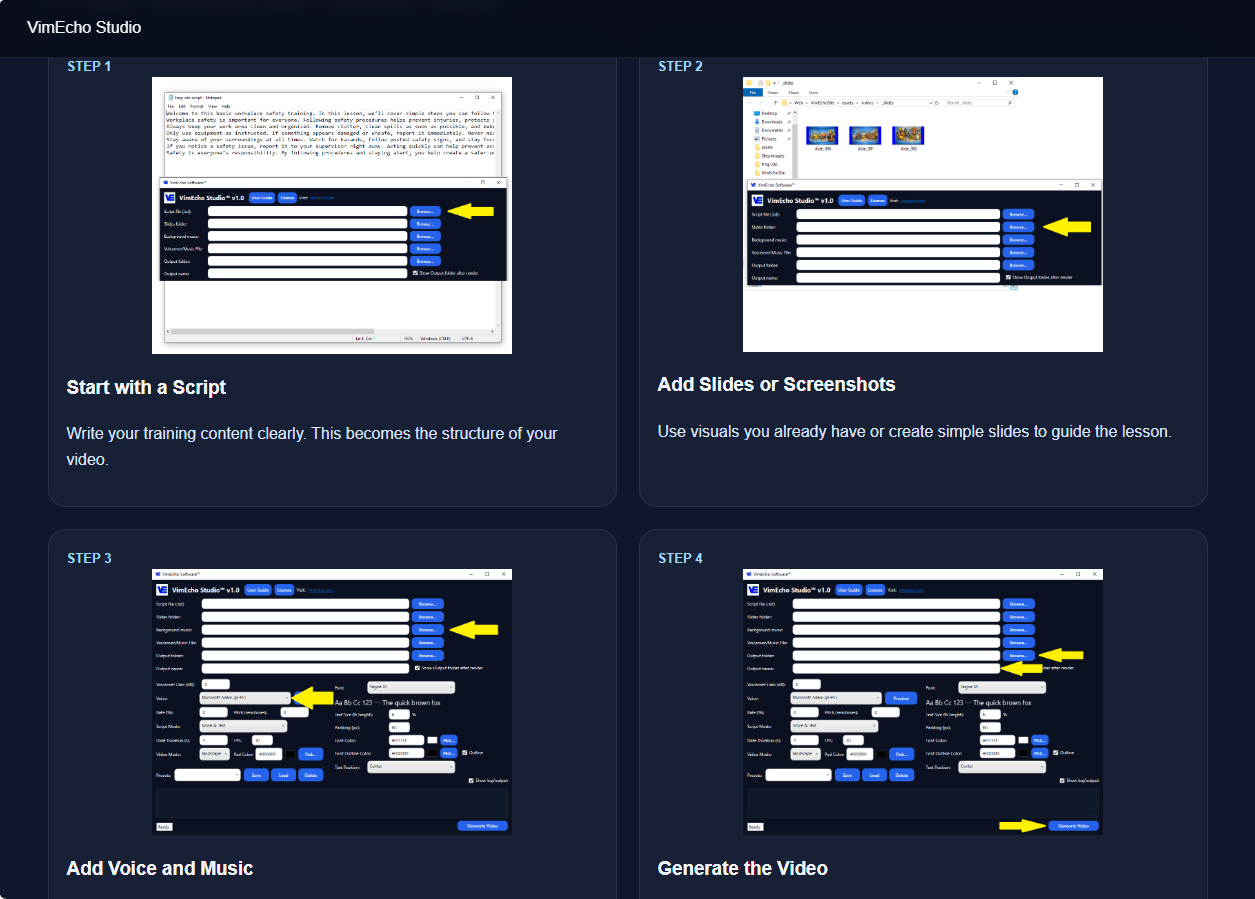
Load Into VimEcho Studio
Drop in your script, slide folder, voice, and optional background music. TTS handles the narration if you don't want to record — or upload your own voiceover.
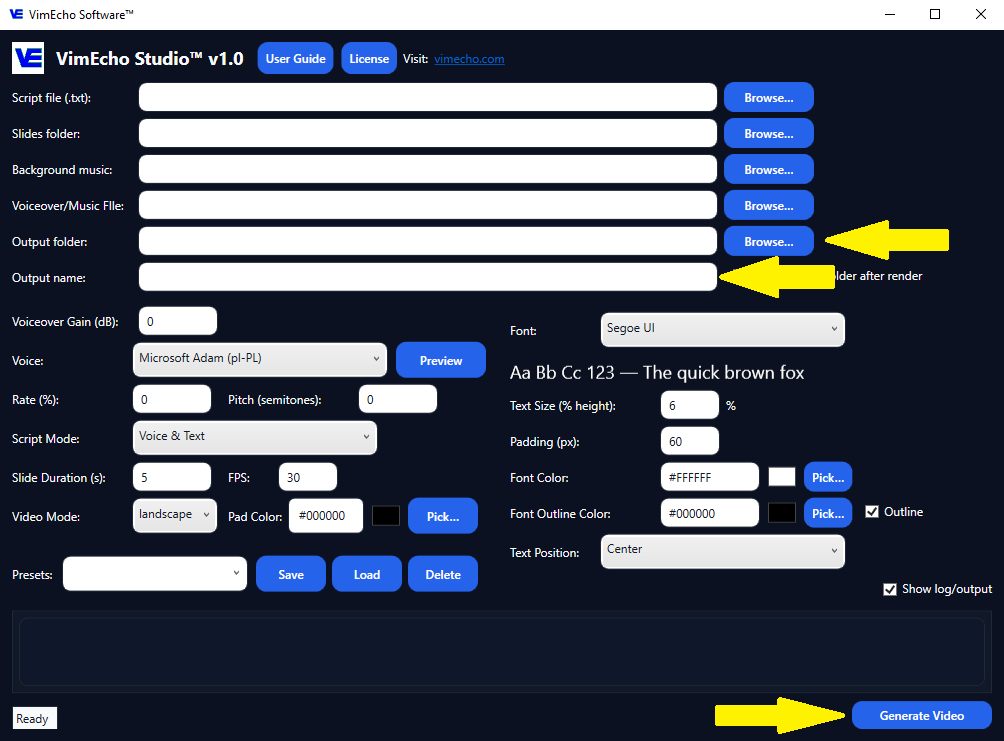
Generate the Finished Video
Click generate. VimEcho syncs your slides, voice, and music into a complete, YouTube-ready video file — no timeline editing, no extra software.
Example output — "Saving Your First $1,000"
Traditional Video Creation
- ✗ Hours editing per video
- ✗ Complex timelines and software
- ✗ Hard to stay consistent
- ✗ Slow content output
With VimEcho Studio
- ✓ Script + images = full video
- ✓ No complex editing required
- ✓ Publish one video per day
- ✓ Batch 5–7 videos in a few hours
Example: AI Tools & Side Hustle Channel
One of the fastest-growing niches on YouTube right now — and one of the easiest to produce with a script-based workflow.
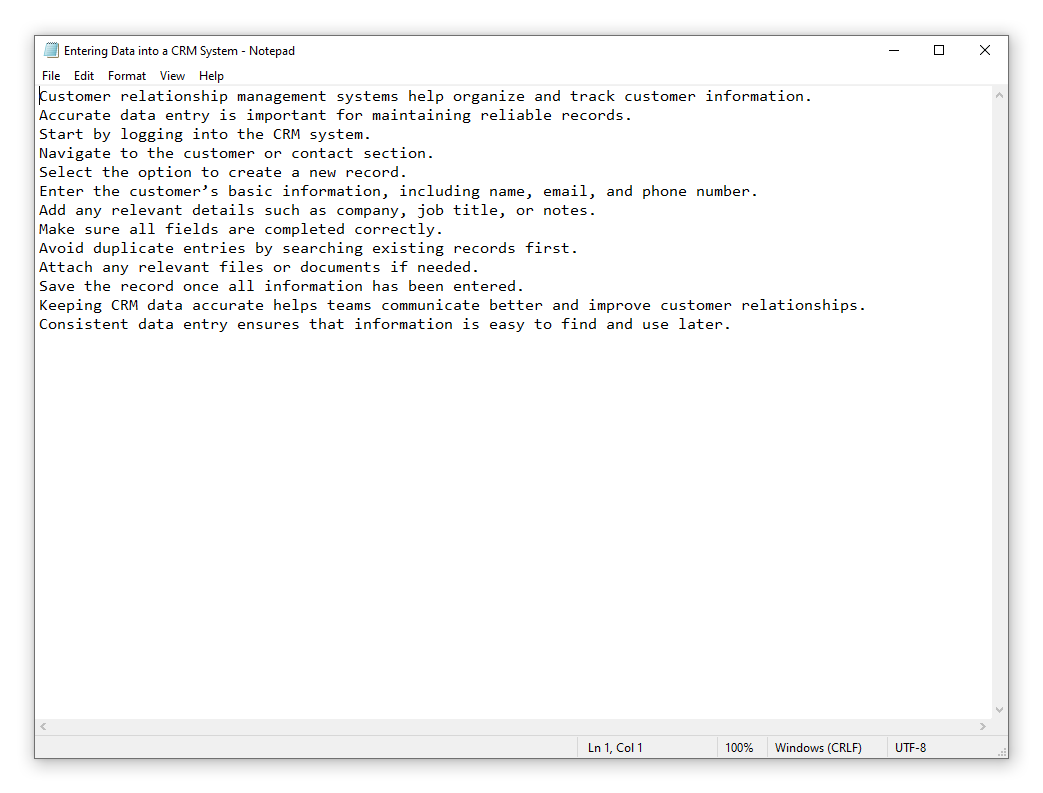
Write a Simple Script
Topics like "Top 5 AI Tools for Beginners" or "Best Side Hustles in 2026" are short, direct, and easy to produce consistently. High search demand, low production barrier.
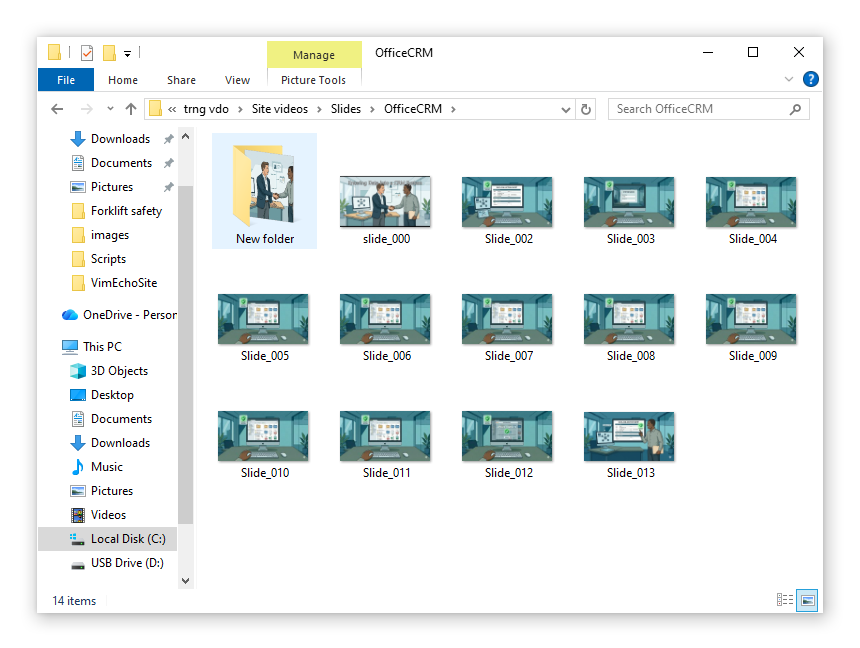
Build Visual Slides
Screenshots of tools, logos, simple text slides, or AI-generated images. Each slide represents one idea or step — easy to assemble in under an hour.
Load Into VimEcho Studio
Add your script, slides, voice, and optional music. Test different TTS voices to find one that fits your channel tone — or record your own narration.
Generate and Publish
Export a finished, YouTube-ready video. Upload it with a keyword-rich title, description, and thumbnail — then move straight on to the next one.
Example output — "Best Side Hustles in 2026"
Content Strategy That Works
- → Short, focused videos (3–8 minutes)
- → Simple topics with high search demand
- → Consistent uploads — daily or batch
- → Repeatable format (lists, tips, tutorials)
Monetization Opportunities
- ✓ YouTube ad revenue
- ✓ Affiliate links for AI tools and software
- ✓ Digital products and guides
- ✓ Email list building and funnels
High-Potential YouTube Niches for Script-Based Video
These niches work well because they're informational, evergreen, and don't require on-camera presence.
Finance & Side Hustles
High CPM. Topics include saving money, credit, investing, and online income. Evergreen content that gets views for years.
AI Tools & Technology
Software tutorials, tool reviews, and productivity content. Strong affiliate marketing opportunities. Fast-growing audience.
Education & Tutorials
Step-by-step learning content performs consistently over time. Skill-based topics build loyal audiences and sponsorship opportunities.
Health & Fitness
Workout routines, nutrition tips, and wellness content. Visual slides work well here — no need for demonstration video.
How YouTube Channels Make Money
The goal isn't just views — it's building a channel that generates income through multiple paths. To scale faster, explore YouTube automation workflows or build anonymous content using faceless channel strategies.
Ad Revenue
Earn based on views and watch time once you hit YouTube Partner Program eligibility.
Affiliate Marketing
Promote products relevant to your niche and earn commissions on referred sales.
Digital Products
Sell guides, templates, or software to your audience directly.
Sponsorships
Brands pay to be featured in your content once you've built an engaged audience.
You don't need a camera. You don't need editing experience. If you can write a script and gather a few images, you can publish YouTube videos consistently.
Start Creating YouTube Videos Faster
If you already have ideas or topics, you can start turning them into finished videos today. VimEcho Studio is a one-time purchase — no subscriptions, no cloud dependency.
Get VimEcho Studio — from $19.99Windows · One-time purchase · License key delivered by email