Create Employee Training Videos Without Complex Editing
Building internal training videos shouldn't require a video editor, a production team, or a cloud platform with access to your sensitive content. VimEcho Studio runs entirely on your PC — write a script, load your slides, generate a finished training video.
Onboarding, safety, SOP walkthroughs, software training — all produced offline, consistently, and quickly.
✓ One-time purchase · ✓ Windows · ✓ Your content stays on your machine
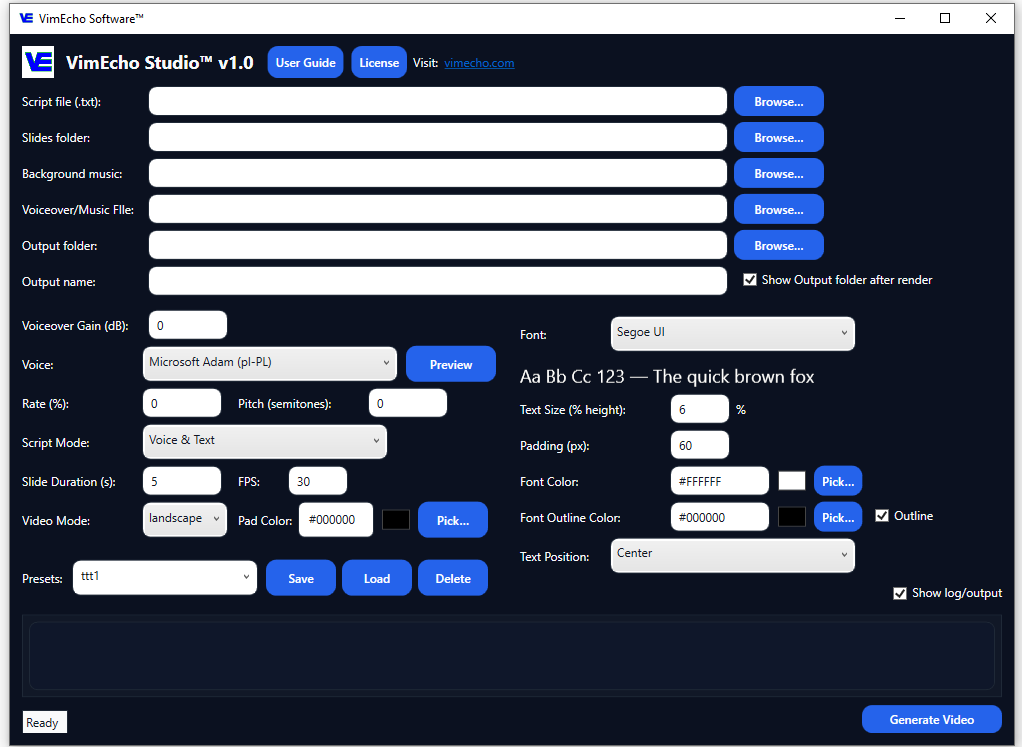
The Problem With Traditional Training Video Workflows
Most training departments get stuck in one of two traps: expensive production, or inconsistent delivery.
Traditional Workflow
- Hours editing each video manually
- Repeated re-recording for small changes
- Inconsistent formatting across videos
- Slow turnaround for new content
- Cloud tools that store your sensitive scripts
With VimEcho Studio
- Script + slides = finished video in minutes
- Update the script, regenerate — done
- Consistent structure every time
- Fast turnaround for new or revised content
- Everything stays on your machine
A Faster Training Video Workflow
Four steps from script to finished video — no timeline editing, no external software required.
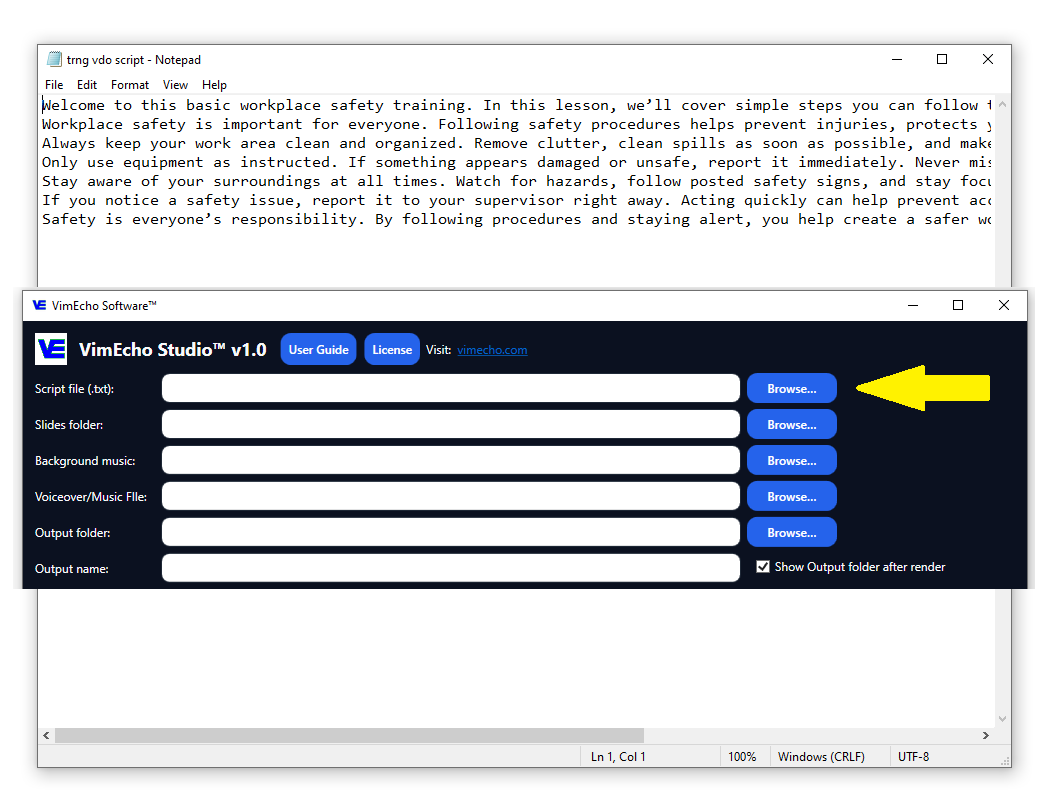
Start With a Script
Write your training content clearly — each line becomes a timed slide. Keep it structured: intro, key steps, summary. You can write it yourself or use AI to draft a starting point.
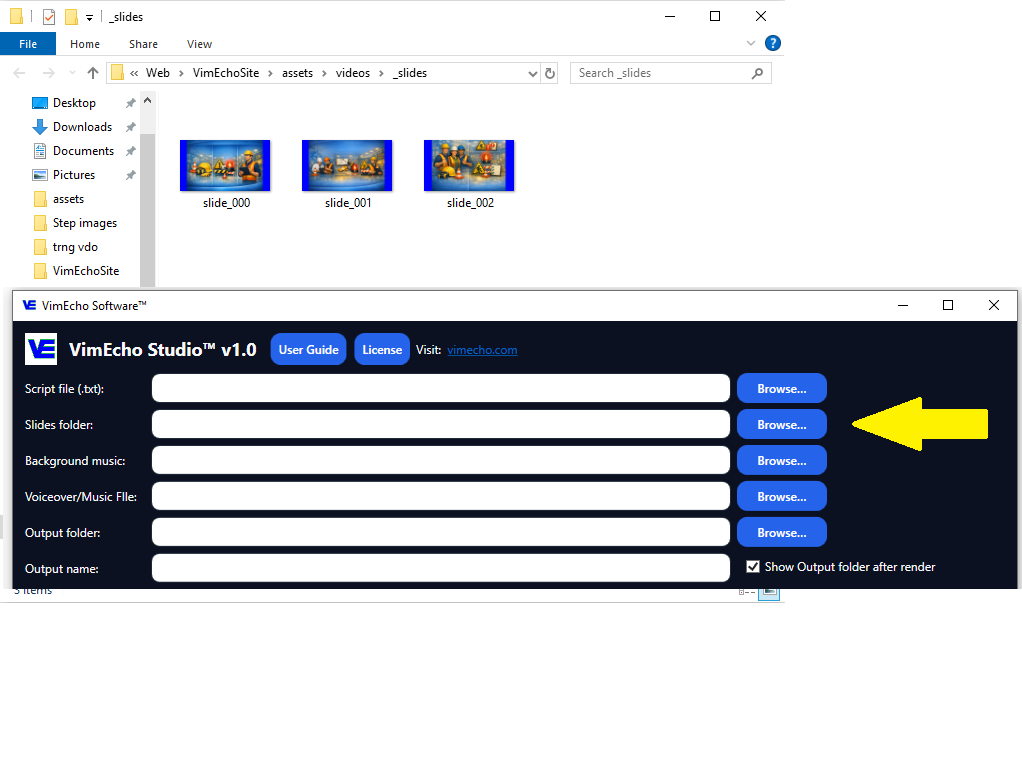
Add Slides or Screenshots
Use visuals you already have — workplace photos, diagrams, system screenshots, or simple text slides. Each image supports one step or point in your training.
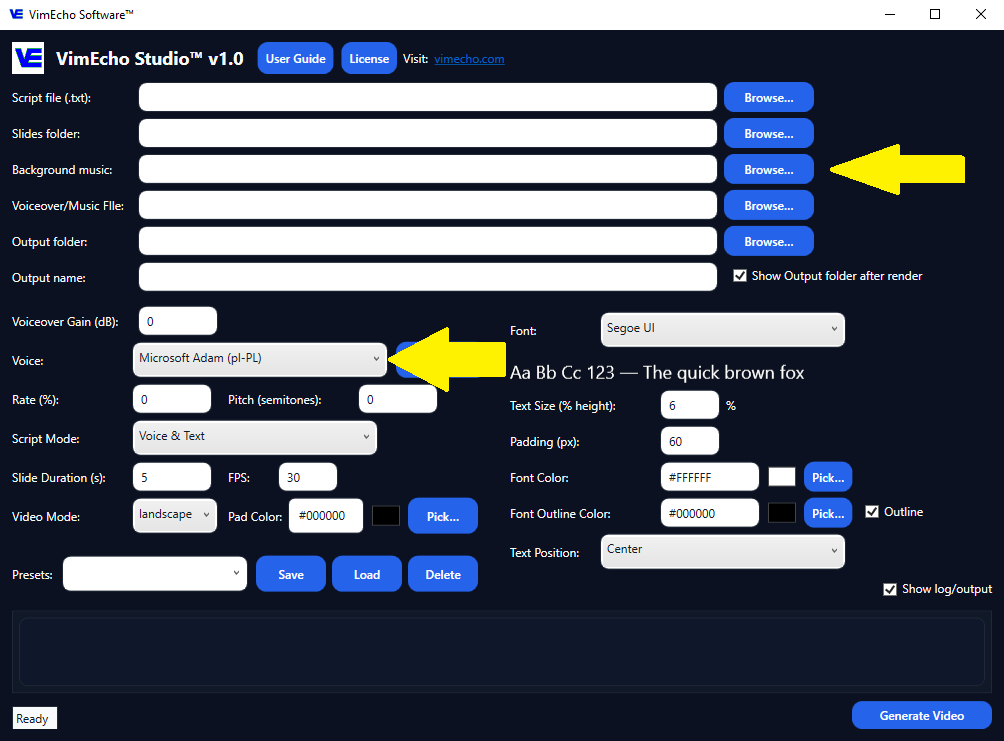
Add Voice and Music
Use built-in TTS narration or upload your own recorded voiceover. Add optional background music if needed. Mix and match per video.
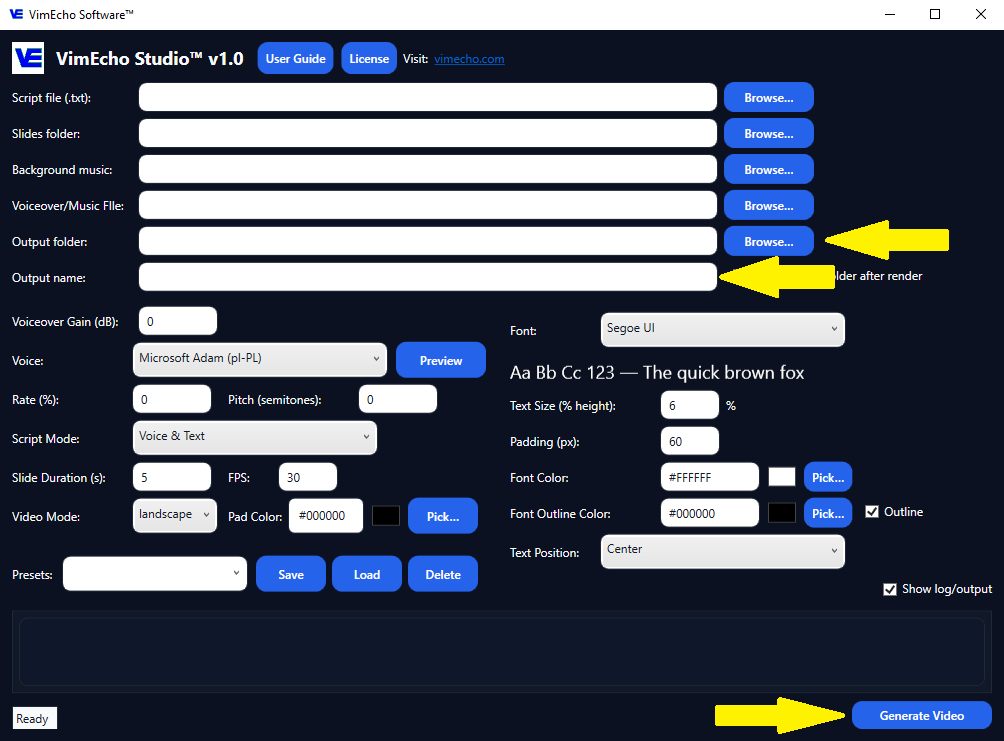
Generate the Training Video
Click generate and produce a complete, reusable training video — synced slides, narration, and music — without touching an editing timeline.
Types of Internal Training Videos You Can Create
VimEcho Studio handles the full range of employee training content. If you're starting from scratch, see how to make training videos for employees or explore onboarding workflows.
Employee Onboarding
Company policies, culture, expectations, and first-week workflows — standardized for every new hire.
Process & SOP Training
Turn repeatable processes into structured video employees can revisit whenever they need a refresher.
Software & Systems
Screenshot-based walkthroughs for internal tools, CRMs, dashboards, and workflows.
Safety & Compliance
Consistent safety instruction across teams, shifts, and locations — always the same message.
Example: Warehouse Safety Training
Warehouse environments need clear, repeatable safety instruction. Here's how a forklift safety training video comes together with VimEcho Studio.
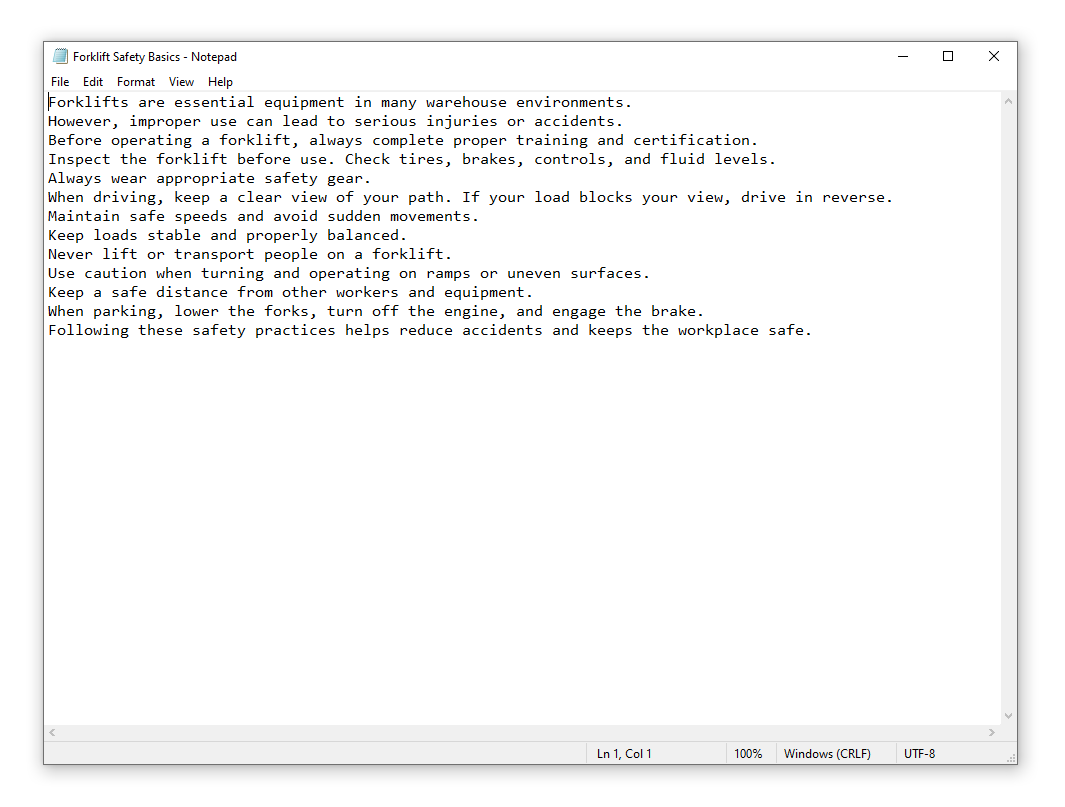
Write the Safety Script
Cover procedures step by step — forklift operation, equipment handling, emergency protocols. Clear language ensures consistent instruction for every employee, every time.
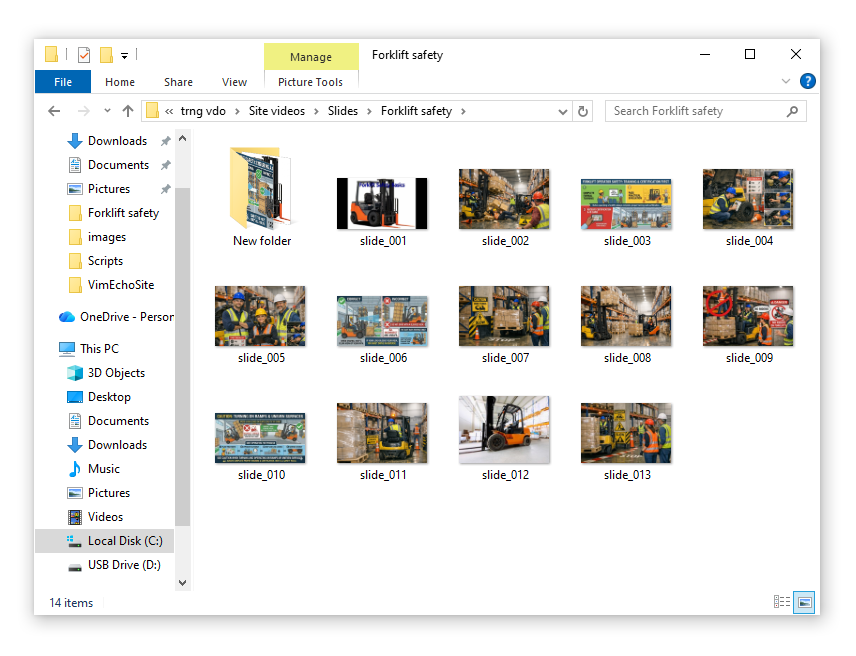
Build a Slide Folder
Use workplace photos, equipment images, warning signs, or diagrams. Each image corresponds to a step in the safety procedure.
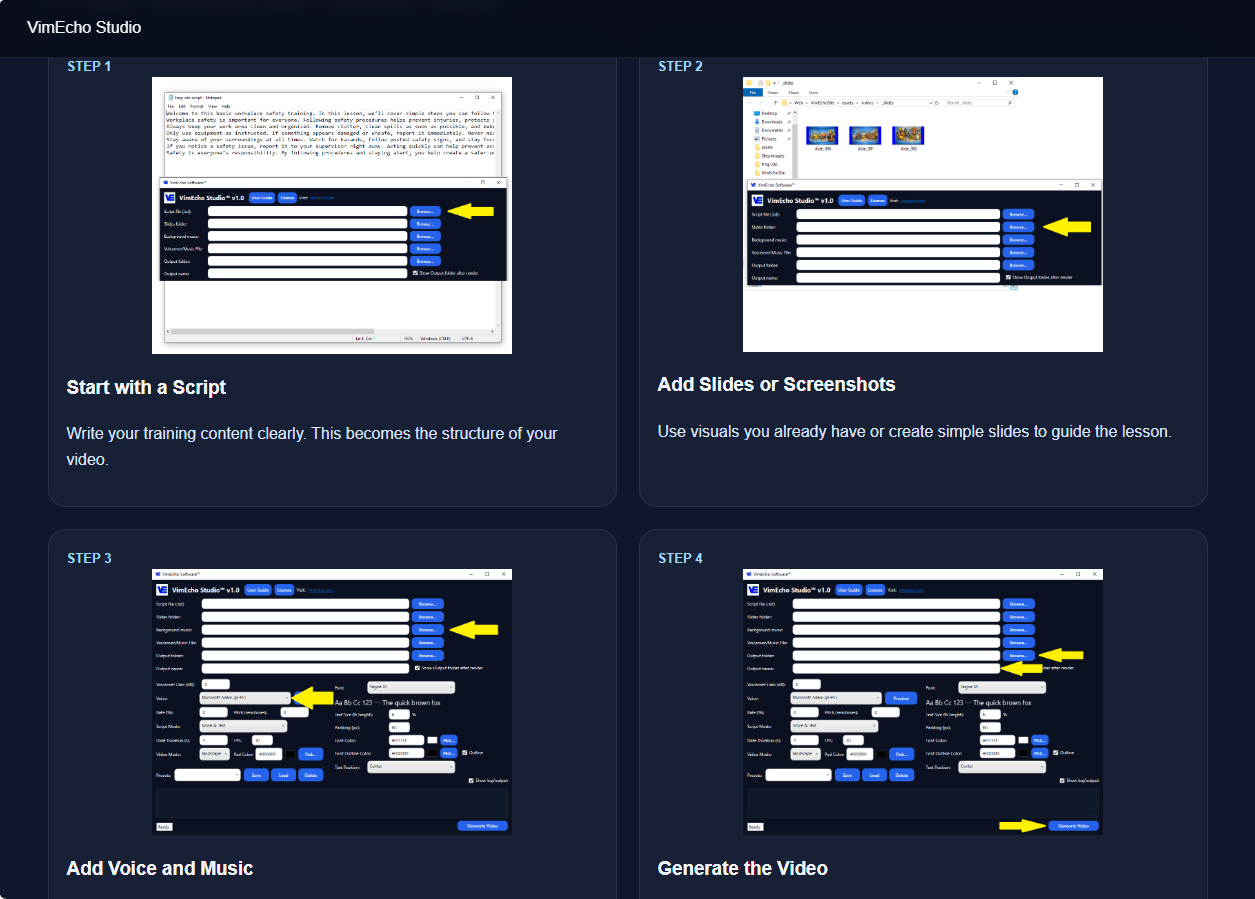
Load Into VimEcho Studio
Add your script, slide folder, and narration. TTS handles voiceover if you don't want to record — or upload your own for a more personal tone.
Generate the Training Video
Output a complete, reusable safety training video. Play it for new hires, post it internally, and update it whenever procedures change — just edit the script and regenerate.
Example output — Forklift Safety Training
Traditional Safety Training
- Repeated in-person explanations per shift
- Inconsistent instruction between employees
- Difficult to update when procedures change
- Time lost on retraining and refreshers
With VimEcho Studio
- One standardized video for all employees
- Reusable across shifts, sites, and new hires
- Update script → regenerate → done
- Consistent messaging every single time
Example: Office Software Training
Office teams often need training on internal systems, CRMs, and workflows. Screenshots plus a script produce a clear, reusable walkthrough.
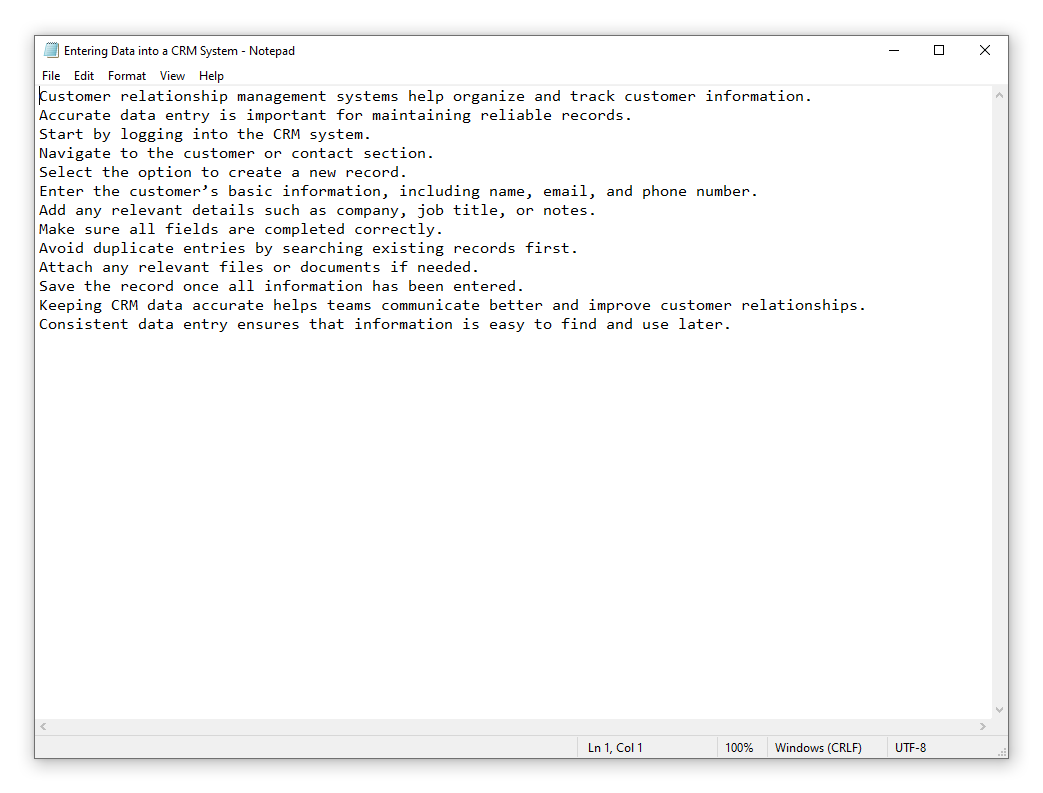
Write a Process Script
Explain the task step by step — entering data, navigating a CRM, completing a workflow. Clear instructions reduce confusion and cut down on "how do I do this again?" questions.
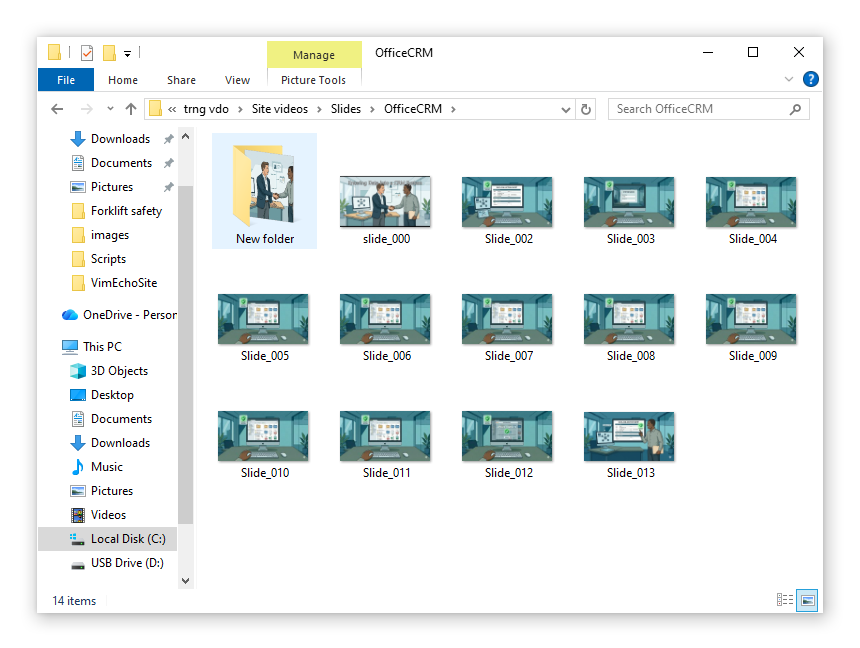
Capture Screenshots
Take screenshots of the system at each stage. These guide employees through the task visually — far clearer than a written document alone.
Load Into VimEcho Studio
Combine your script, screenshots, and narration into a structured software walkthrough — no video editor needed.
Generate the Training Video
Produce a reusable training video employees can watch at their own pace, rewatch on demand, and reference whenever they need a reminder.
Example output — Entering Data into a CRM System
Translate Once, Generate in Any Language
VimEcho Studio makes multi-language training video production straightforward. Translate your script, select the appropriate TTS voice or upload a translated voiceover, rename the output file, and generate. The slides stay the same — only the language changes.
For organizations with multilingual teams, this is a significant time saver — no re-editing, no re-recording sessions, no separate production pipeline.
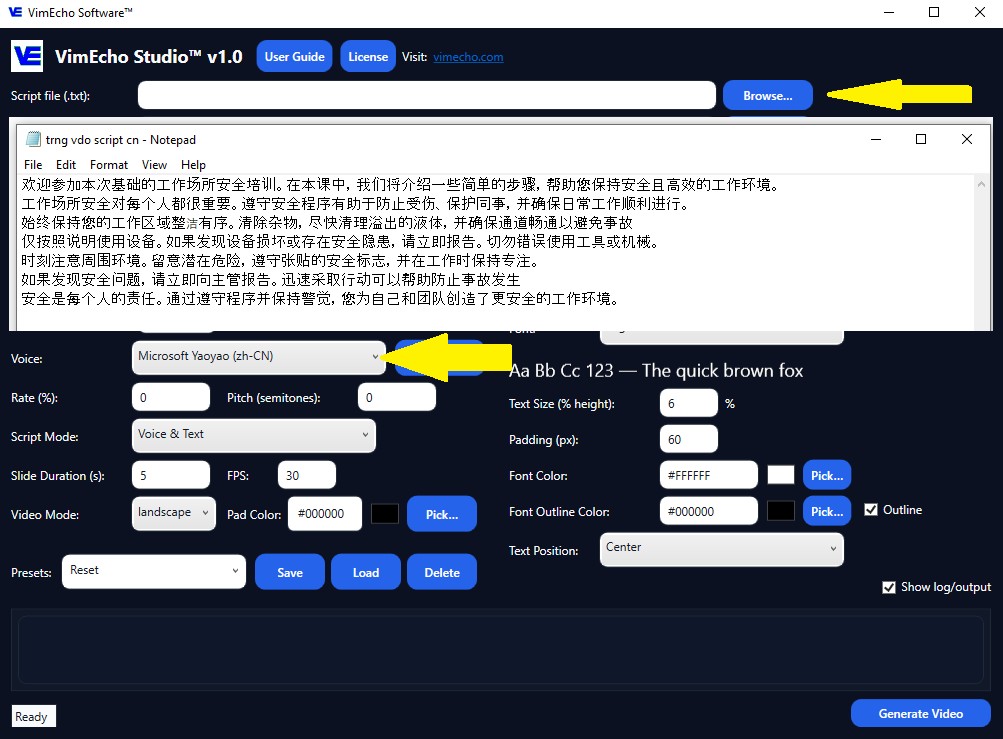
Translate the Script & Select Voice
Take your existing script and translate it to the target language. Select the translated script and choose the appropriate TTS voice — or upload your own narration in that language. All other settings stay the same.
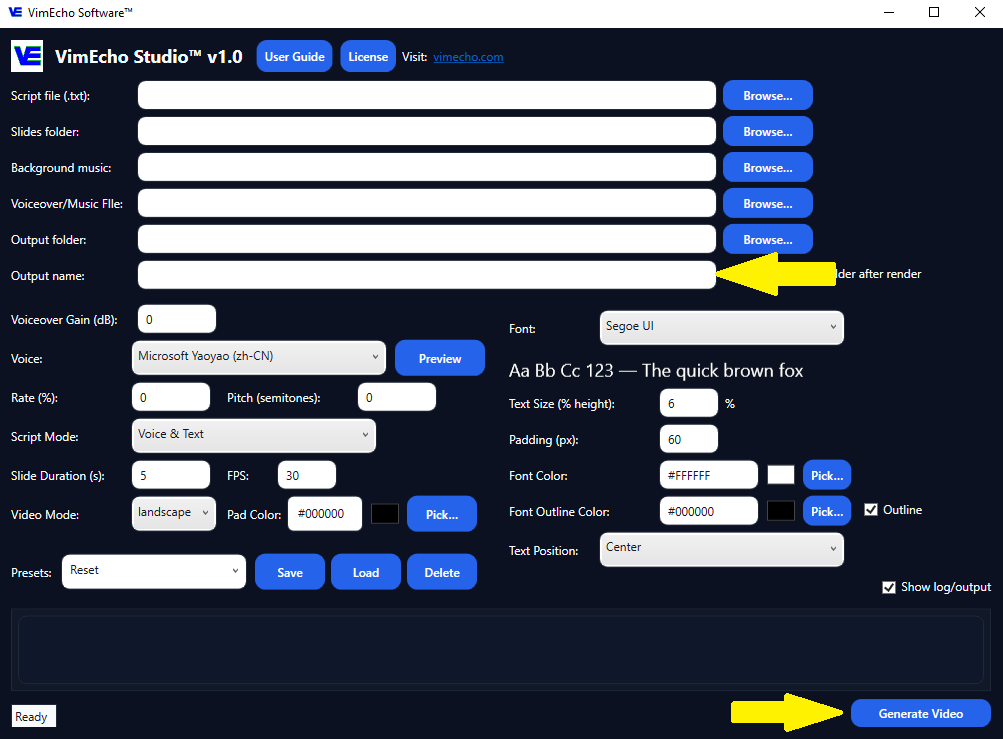
Rename & Generate
Rename the output file for the new language version, then click Generate. VimEcho produces a complete second video using the same slides — no additional editing required.
Forklift Safety Training — Spanish
CRM Training — Spanish
Why VimEcho Studio Works for Internal Training
Purpose-built for repeatable, structured content — exactly what employee training requires.
Easy to Update
Processes change. When they do, update the script and regenerate — no re-recording sessions, no editor required. Your training library stays current.
Sensitive Content Stays Private
HR scripts, internal SOPs, proprietary workflows — none of it leaves your machine. No cloud storage, no third-party servers with access to your content.
Consistent Every Time
Every employee gets the same video, the same information, the same structure. Eliminates inconsistency from in-person or ad-hoc training.
Multi-Language Ready
Translate the script, swap the voice, generate a new video. Serve multilingual teams without a separate production pipeline per language.
From Files to Finished Training Videos
Everything you need to get started is probably something you already have.
What You Start With
- A training script or process document
- Slides, screenshots, or workplace images
- TTS voice (built-in) or your own narration
What You End With
- Complete, reusable training video
- Consistent structure and messaging
- A workflow you can repeat for every new topic
Training videos don't need to be expensive or time-consuming. If you have a script and a folder of images, VimEcho Studio handles the rest.
Start Making Training Videos Faster
One-time purchase. No subscriptions, no cloud dependency. License key delivered by email after checkout — typically within 1–12 hours.
Get VimEcho Studio — from $19.99Windows · One-time purchase · Offline after activation